
Updated 2 November 2026
How Fieldwerk is organised
Fieldwerk has four layers, from small to large. Knowing them tells you where to put something so your team and your AI assistant can find it later, and who will be able to see it:
A memo is a document with its own link. One idea, one meeting, one plan.
A collection is a project's home. It groups related memos and decides who can see them.
A notebook is a smaller group inside a collection, such as one client or one quarter.
A workspace holds all of it for a person or a team, with its own members and plan.
Files, views and properties sit alongside these. If you only remember one thing, make it this: put each memo in a collection, and give the collection standing instructions, so people and assistants file and find things the same way.
Memos
A memo is a plain Markdown document: text, headings, lists, tables, images and tasks. Each one has a single link, and you choose what that link allows. Several people, and their AI assistants, can edit the same memo at once, and every change is kept in its history, so you can always see who changed what and go back.
Collections
A collection is a group of memos about one thing: a project, a client, a team handbook. It is the unit you share and the unit your assistant works in. A memo can be in several collections. Collections carry:
Access: who can view, comment, edit or manage it.
Properties: fields like status or owner that every memo in it can have.
Views: lists, boards, tables, calendars, timelines and canvases.
Instructions: how the collection should be used, for people and AI assistants. An assistant reads them before it files or edits anything there.
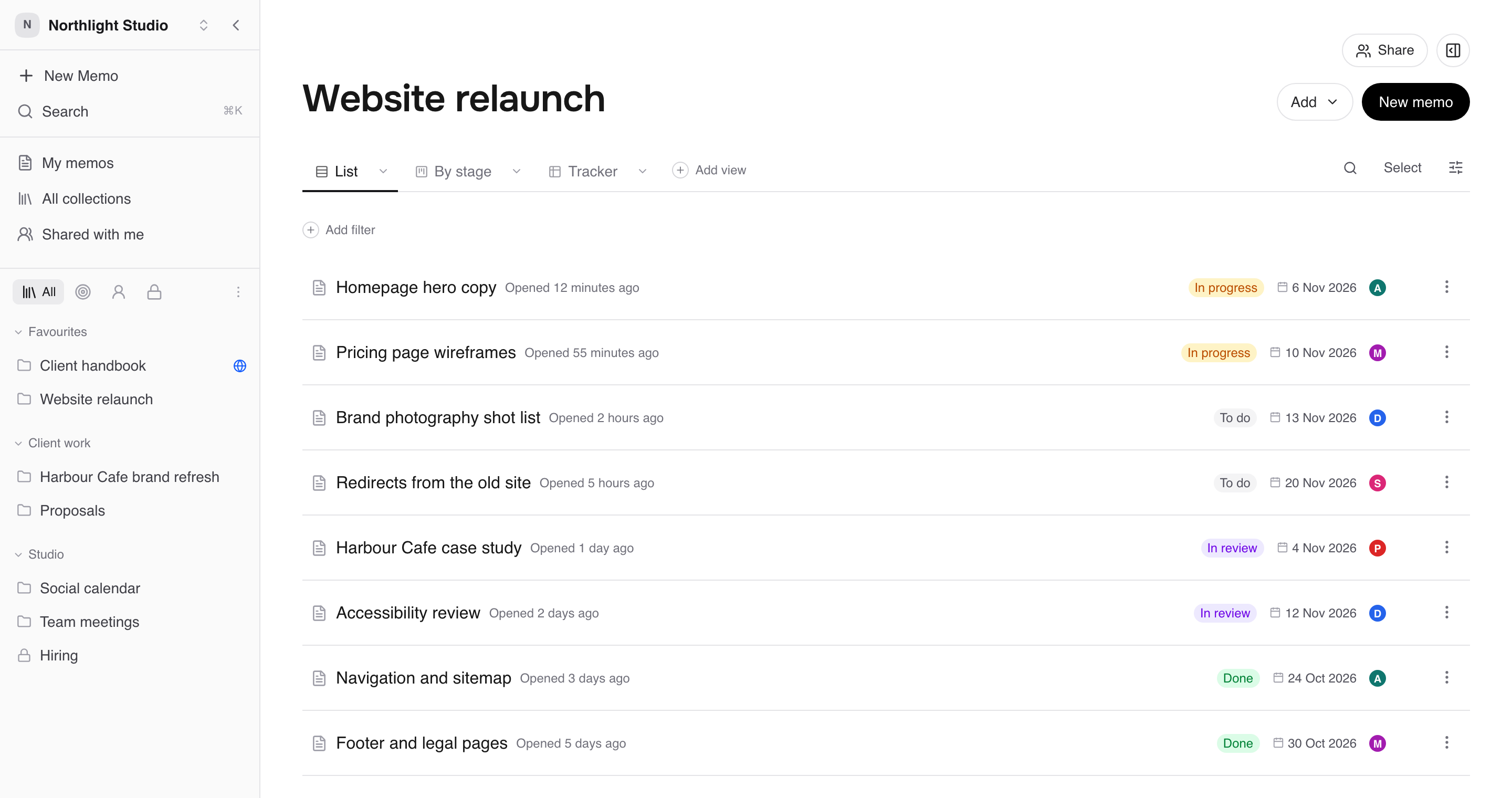
See Organise memos into collections.
Notebooks
A notebook groups memos and files inside one collection, for example one per client or per quarter. It has its own views and instructions, and its data files can feed an artifact.
See Group memos inside a collection with notebooks.
Workspaces
A workspace is the home for a person or a team. It has members, a plan and settings. People in a workspace can be full members, limited members who see only chosen collections, or guests who see only chosen memos. You can belong to several workspaces and switch between them from the sidebar.
Files, views and properties
Files and links sit beside memos in a collection or notebook, or are attached to a memo. See Add files and links.
Properties are the fields you track. See Track work with properties.
Views show a collection in different ways. See See a collection as a list, board, table, calendar or timeline.
Where things show up
My memos: memos you created.
All collections: collections you can open in this workspace.
Shared with me: memos people have shared with you directly, including from workspaces you're a guest in.
Trash: memos you've deleted, until their restore window ends. See Lock, archive or delete a memo.